

An outboard thermostat is a small part with a large job: it regulates coolant flow so the engine reaches and maintains its intended operating temperature. A thermostat that sticks closed can contribute to overheating, while one that sticks open may keep the engine cooler than designed. Corrosion, mineral deposits, sand, silt, and degraded seals can also interfere with the thermostat or its housing.
Fall service is a practical time to review thermostat history and investigate cooling-system clues before the engine sits for winter. The task, however, is highly model-specific. Thermostat count, location, opening temperature, gasket design, fastener torque, replacement interval, and test procedure vary by outboard. Use the operation and service information for the exact engine serial number, and send the job to an authorized technician when access or diagnosis exceeds the owner's manual.
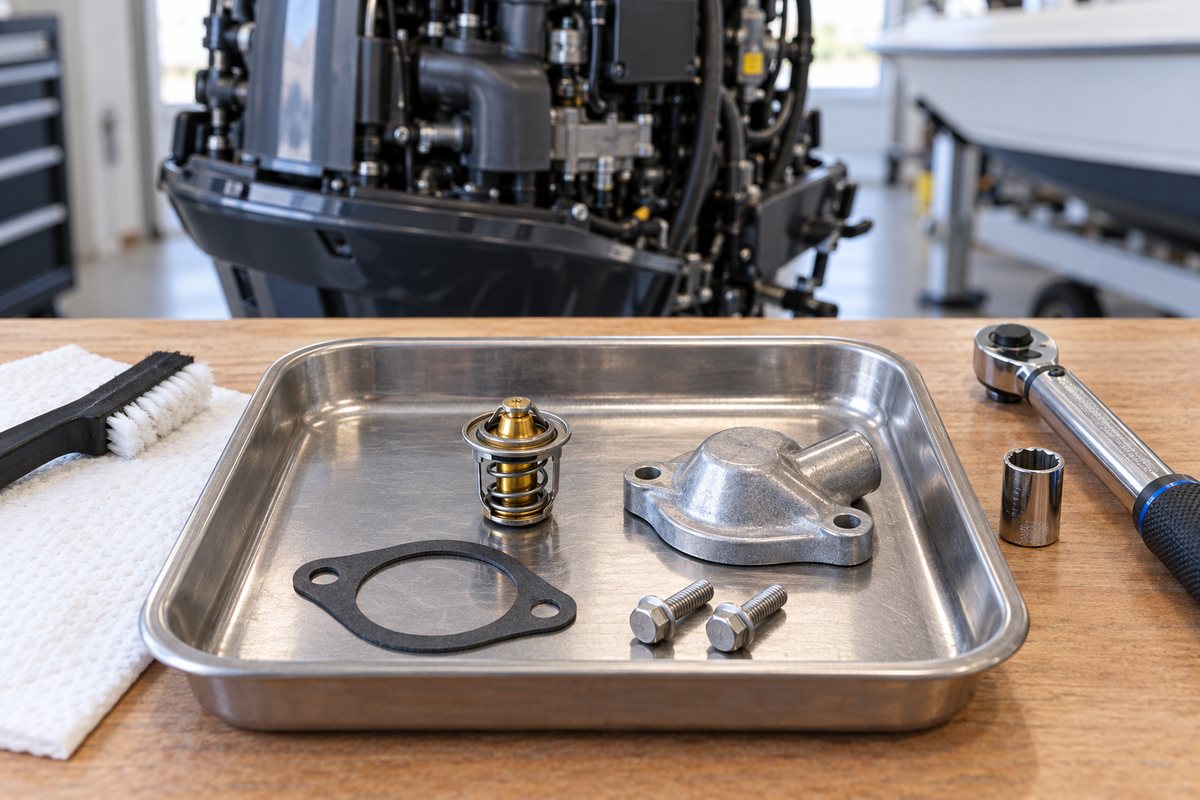
Understand what the thermostat does
When an outboard is cold, the thermostat restricts part of the cooling-water flow so the powerhead warms toward its designed range. As temperature rises, the thermostat opens and allows more water through the relevant cooling passages. Some engines use more than one thermostat or combine thermostats with pressure-control valves. Do not assume a layout based on another engine from the same brand.
Thermostat operation is only one part of engine cooling. Restricted intake screens, a worn water-pump impeller, clogged passages, a damaged pressure valve, poor water supply, or a faulty temperature sensor can produce similar symptoms. A strong telltale stream also does not prove that every internal passage and thermostat is working correctly; on many engines the telltale indicates flow at only part of the circuit.
Check the service schedule before removing anything
Start with the engine model and serial number. Find the correct owner's manual, maintenance schedule, parts diagram, and service procedure. Record:
- Engine model, serial number, year, and operating hours
- Number and location of thermostats
- Scheduled inspection or replacement interval
- Correct thermostat and gasket or seal part numbers
- Thermostat rating or test specification, if the manufacturer publishes it
- Cover-fastener torque and tightening sequence
- Approved flushing and winter-storage procedures
Yamaha's maintenance guidance shows why generic intervals are unreliable. Its published midseason article describes a comprehensive 300-hour service that includes thermostat replacement for the engine discussed, while still directing owners to the applicable manual. Other Yamaha models—and other brands—may specify different intervals or technician-only procedures.
Mercury likewise directs owners to the Operation, Maintenance & Warranty manual identified by engine serial number. A Mercury V6/V8 manual, for example, is useful only for the models named on its cover; it is not authority for a different outboard.
Look for cooling symptoms before disassembly
If the engine can be run safely in accordance with its manual, note its behavior before storage. Do not run an outboard without an adequate cooling-water supply, and do not improvise a flushing method.
Watch for:
- An over-temperature alarm or warning message
- Temperature that rises unusually at idle, at speed, or after acceleration
- An engine that takes unusually long to warm
- Reduced power or protective operating mode
- Steam, unusual exhaust-water behavior, or changing telltale flow
- Uneven cylinder-bank temperatures on engines with multiple thermostats
- Salt crust, dried mineral tracks, or water seepage near a thermostat cover
- Trouble codes stored by compatible diagnostic equipment
Write down when the symptom appears. “Alarm after ten minutes at idle” is far more useful than “runs hot.” Do not clear fault history before it is recorded and evaluated.
Inspect the complete cooling-water path first
Before blaming the thermostat, inspect the accessible water intakes and surrounding gearcase for weeds, plastic, mud, shells, or growth. Follow the manufacturer's flushing instructions using the correct flush port, muffs, or bag for that engine.
Yamaha explains that mud, sand, silt, and marine growth can restrict the cooling system, and that fresh-water flushing helps remove contaminants and salt. Yamaha also warns never to run the engine without cooling water and not to rev an engine being supplied by flush muffs. Its guidance notes that water can reach cylinder-head passages through the built-in flush attachment even when the thermostat is not fully open.
Flushing can prevent deposits, but it cannot restore a corroded, mechanically damaged, or sticking thermostat. It also should not be used to dismiss a recurring alarm.
Prepare for a clean, controlled thermostat inspection
Allow the engine to cool completely. Turn off battery power using the boat's normal isolation procedure, remove the emergency-stop clip when applicable, and prevent accidental starting. Position the engine as the service procedure requires.
Gather the correct replacement gasket or seal before opening the housing. Reusing a compressed gasket may create a leak even when the thermostat itself is serviceable. Use clean tools, a parts tray, absorbent material, and the exact torque specification. Keep loose hardware away from intake openings and moving linkages.
If access requires removing fuel-system parts, major wiring, intake components, or equipment not covered by the owner's procedure, stop and use a qualified technician. On some engines, thermostat service is intended to be part of a broader dealer inspection.
Inspect the thermostat cover and surrounding area
Before removal, photograph the thermostat cover, hoses, brackets, wire clips, and fastener locations. Examine the exterior for:
- Salt crystals or chalky mineral deposits
- Rust streaks, green corrosion, or pitting
- Dried water tracks below the cover
- A swollen, cracked, or distorted cover
- Damaged fastener heads
- Hoses or harnesses rubbing the cover
- Previous sealant squeezed from the joint
Unexpected sealant can signal an earlier repair that did not use the specified gasket. Do not add general-purpose sealant unless the service procedure explicitly calls for a named product and placement.
Remove the cover without damaging the housing
Follow the manual's order for moving brackets, hoses, or clips. Loosen cover fasteners evenly and keep track of their location when lengths differ. Do not pry against a thin sealing surface or drive a screwdriver into the joint.
Once the cover is free, note the thermostat's orientation before lifting it out. Photograph the spring direction, locating tabs, rubber seal, and any spacer. A thermostat installed backward may physically fit yet control flow incorrectly.
Cover the open cooling passage with a clean, lint-free barrier while inspecting parts. Do not scrape debris into the engine.
Evaluate the thermostat and seal
Inspect the thermostat for corrosion, mineral scale, bent components, a damaged wax-pellet body, broken spring parts, or a valve that is visibly held open by debris. Check the rubber seal, O-ring, or gasket for flattening, cuts, hardening, swelling, or separation.
Quicksilver's parts guidance describes sticking or corrosion as reasons to replace an outboard thermostat and notes that many kits include the associated gasket parts. That is a helpful general principle, but correct parts still must be selected by engine application.
Do not force the valve with pliers or polish away metal to make it move. A thermostat is a calibrated component, not an adjustable valve. If the procedure calls for replacement at a scheduled interval, visual appearance does not override that schedule.
Inspect the housing and cooling passage
Look inside the cover and accessible thermostat pocket with a bright light. Deposits can reveal the type of problem:
- White or gray crust may indicate mineral or salt accumulation
- Sandy grit points to ingested sediment
- Dark rubber fragments may come from a failing cooling component
- Pitting around the sealing surface suggests corrosion
- Rusted or stretched fasteners may not clamp evenly
Remove only loose material by the method allowed in the manual. Avoid steel picks, rotary abrasives, or aggressive chemicals that can gouge aluminum, enlarge the pocket, or leave debris in a passage. A damaged sealing face or heavily corroded housing needs professional assessment.
If pieces of a water-pump impeller are found, the thermostat inspection has uncovered a system problem rather than an isolated thermostat fault. The missing fragments and their source must be addressed.
Test only to the exact manufacturer specification
Some service manuals describe a controlled hot-water test in which the thermostat is suspended in water and its movement is compared with a specified temperature. Others call for replacement without owner testing.
Never guess the opening temperature, judge it by touching hot water, place the thermostat directly on a pan, or use an inaccurate household thermometer. A thermostat may begin moving at one temperature and reach a specified lift at another. The service procedure may define both temperature and valve travel.
If a valid specification and suitable equipment are not available, replacement with the correct part or dealer testing is safer than a homemade pass/fail decision.
Reassemble with the correct parts and torque
Clean the mating surfaces without removing base metal. Install the thermostat in the documented orientation and fit a new specified gasket, O-ring, or seal. Confirm the seal remains seated as the cover is positioned.
Start every fastener by hand. Tighten in the sequence and stages specified by the manual, using a torque wrench in the correct unit. Thermostat covers and aluminum threads can be damaged by overtightening; insufficient or uneven clamp load can leak.
Return hoses, clips, guards, and wiring to their original routing. Verify that no tool, rag, old gasket, or loose fastener remains under the cowling.
Verify the repair safely
Restore power and cooling water according to the owner's manual. Start the engine only when the approved water supply is established. Let it idle as directed while watching the cover joint and nearby hoses for leakage. Do not touch hot surfaces or moving parts.
Confirm:
- No water leaks appear around the cover
- Telltale and exhaust-water behavior match the model's normal pattern
- No temperature warning occurs
- Diagnostic temperature data, when available, rises and stabilizes normally
- The engine is shut down immediately if cooling is uncertain
A successful dockside run is not permission to ignore an earlier alarm. If the engine previously overheated, determine the cause and inspect for related damage before returning it to service.
Outboard thermostat inspection checklist
- Exact engine model, serial number, hours, and manual are recorded
- Thermostat count, part numbers, service interval, and torque are confirmed
- Cooling symptoms and stored warnings are documented
- Intake screens and approved flushing path are checked
- Engine is cool, isolated, and protected from accidental starting
- Cover exterior and surrounding hoses or wiring are inspected
- Thermostat orientation is photographed before removal
- Thermostat, seal, housing, and passage are checked for corrosion or debris
- Testing follows an exact manufacturer specification, if performed
- Correct thermostat and new specified seal are installed
- Fasteners are tightened to the documented torque and sequence
- Leak and operating-temperature checks pass after reassembly
Record the service in BoatDuty
In BoatDuty, record the date, engine hours, serial number, thermostat and gasket part numbers, observed deposits, warning history, test specification and result, fastener torque, and post-service temperature behavior. Attach notes about debris, corrosion, or dealer follow-up. That record will help distinguish a recurring cooling problem from a one-time service item next season.
Sources
- Yamaha Outboards, Midseason Maintenance Tips (cooling inspection, flushing methods, and model-dependent thermostat service)
- Yamaha Outboards, Freshwater Flushing Adds Years to the Life of an Outboard
- Mercury Marine, Owner's Manuals (serial-number-specific operation and maintenance information)
- Mercury Marine, V6 175–225 / V8 200–300 CMS DTS Operation and Maintenance Manual (example model-specific manual)
- Mercury Marine/Quicksilver, Engine Parts—Thermostats